

Access your account
On the HSC Academy sign-in screen, enter your email address and password, then select Entrar (Sign in).
If you cannot remember your password, use Esqueceu sua senha? (Forgot your password?) on the sign-in screen and follow the platform's instructions.
Do not have an account yet? Use Crie sua conta (Create your account) to register free of charge.
Find DAY 1 and DAY 2 under Self-paced Courses
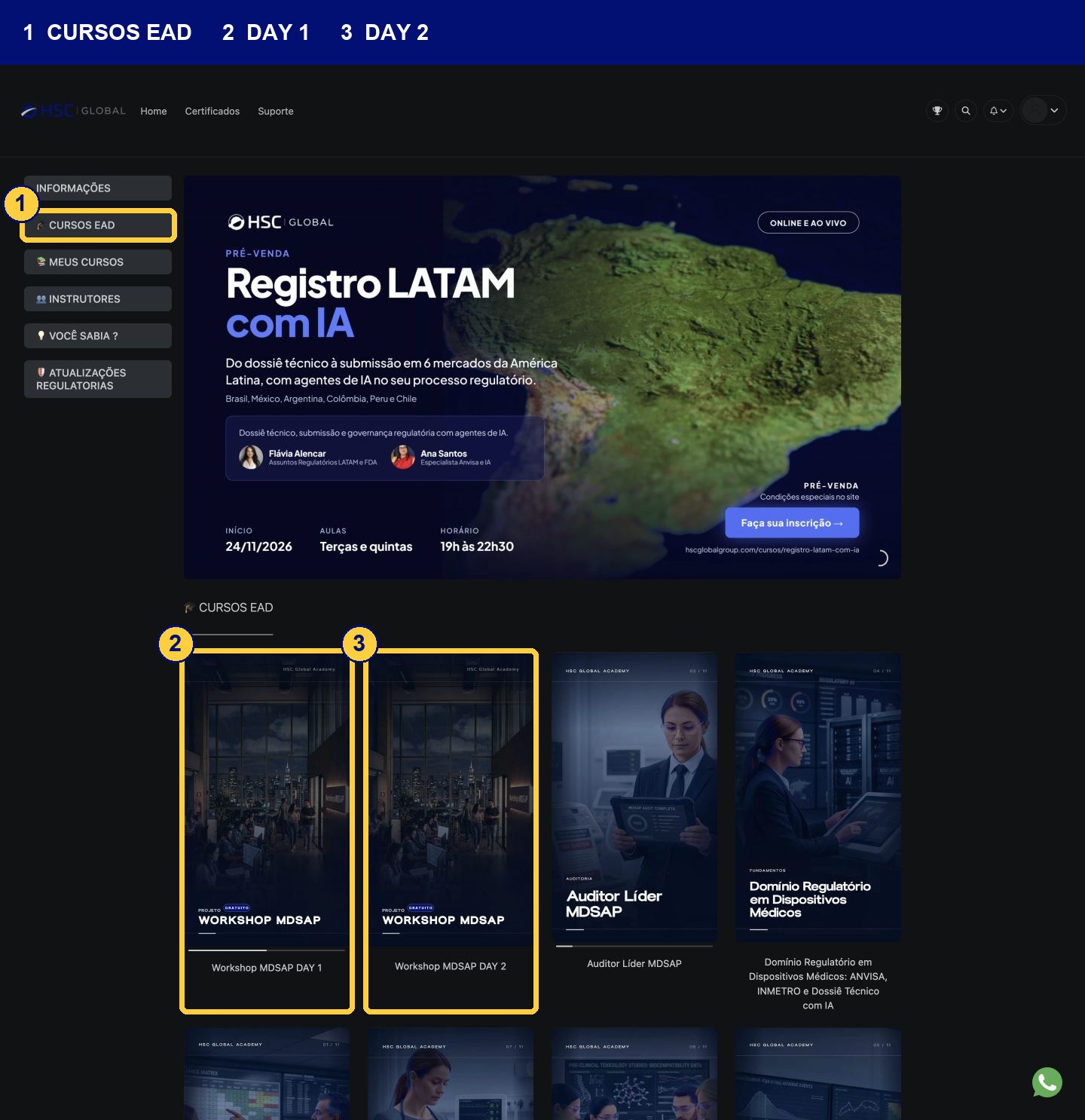
In the student area, select CURSOS EAD (Self-paced Courses). Look for the cards Workshop MDSAP DAY 1 and Workshop MDSAP DAY 2. Each card contains the content for one day of the event.
Open the day you would like to watch. To access the other day, return to the Self-paced Courses catalogue.
Open a lesson and watch the recording
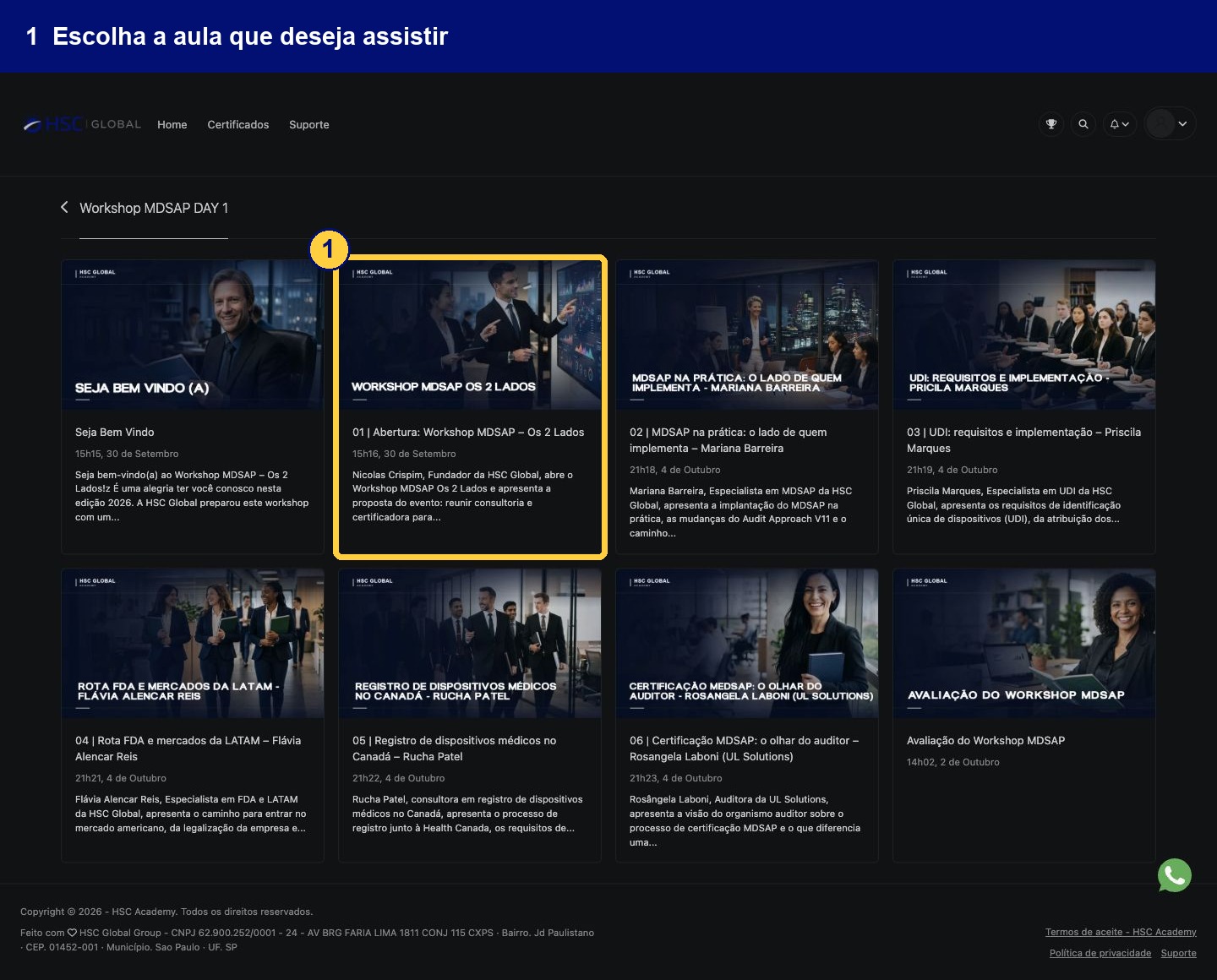
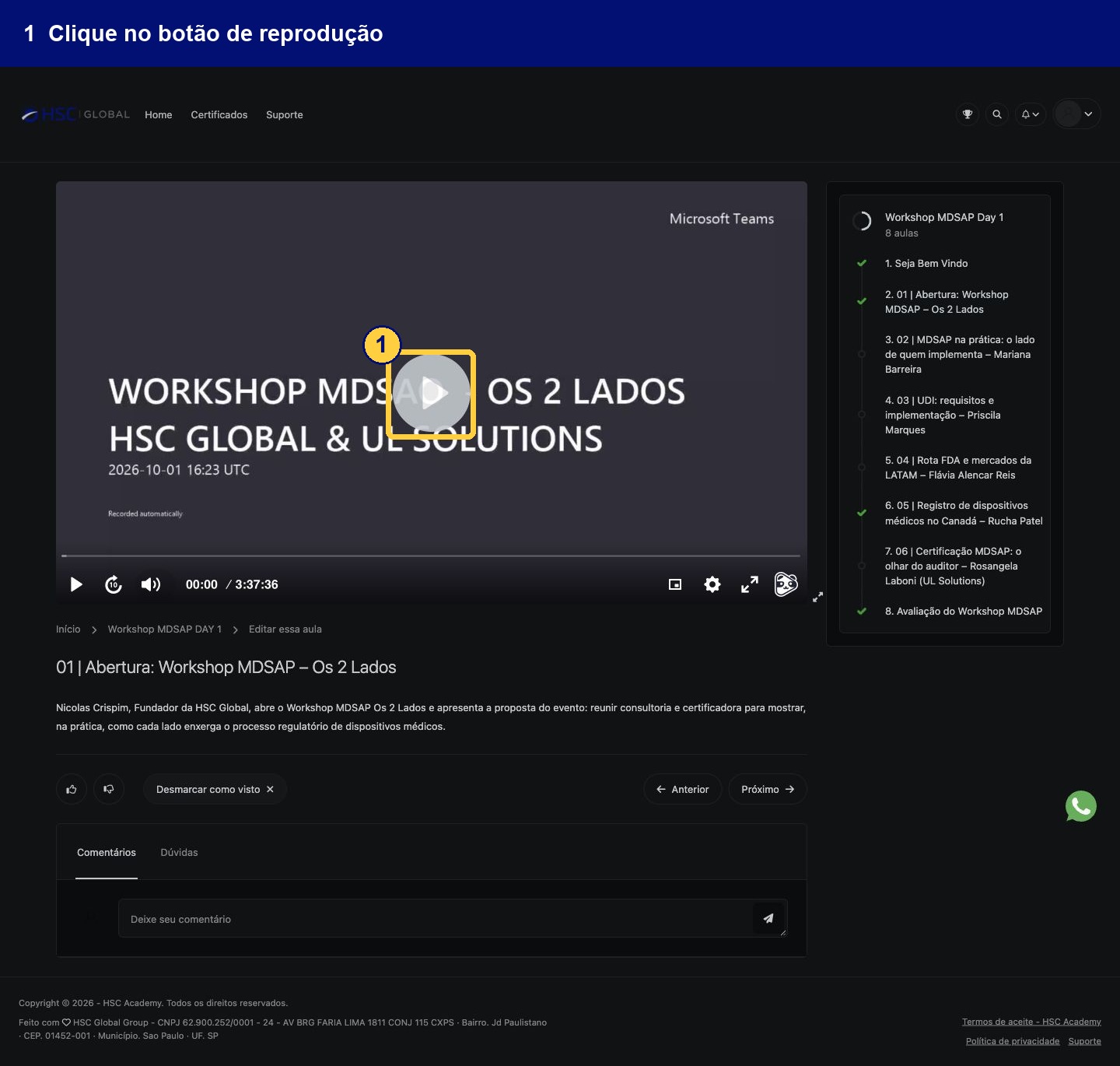
Within the workshop, choose the lesson you want. On the lesson screen, select the video's play button.
Use the lesson list to choose other content. You may also find the controls Anterior (Previous) and Próximo (Next) below the content.
Access the certificate area through your profile
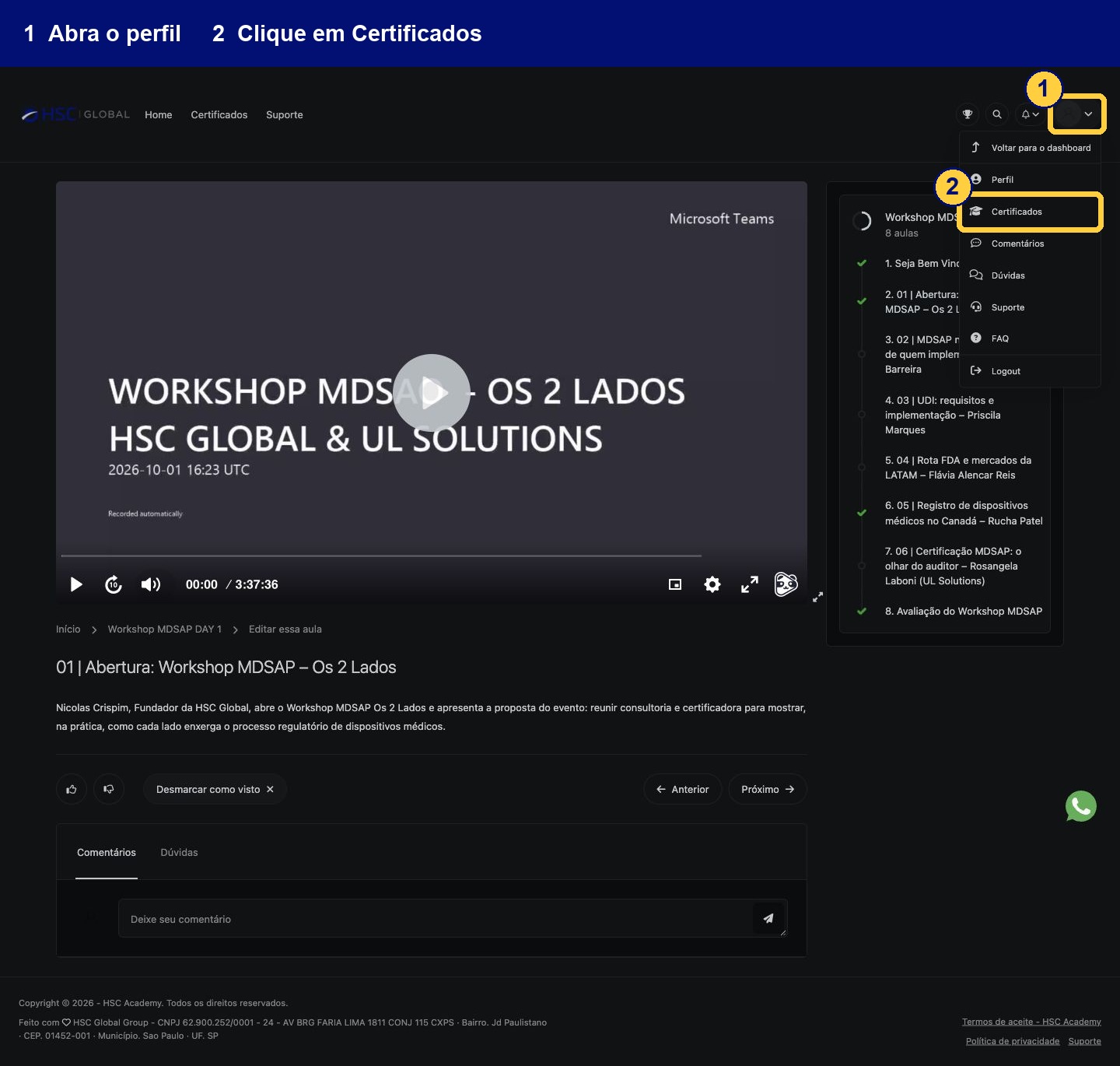
At the top right, open your profile menu and select Certificados (Certificates).
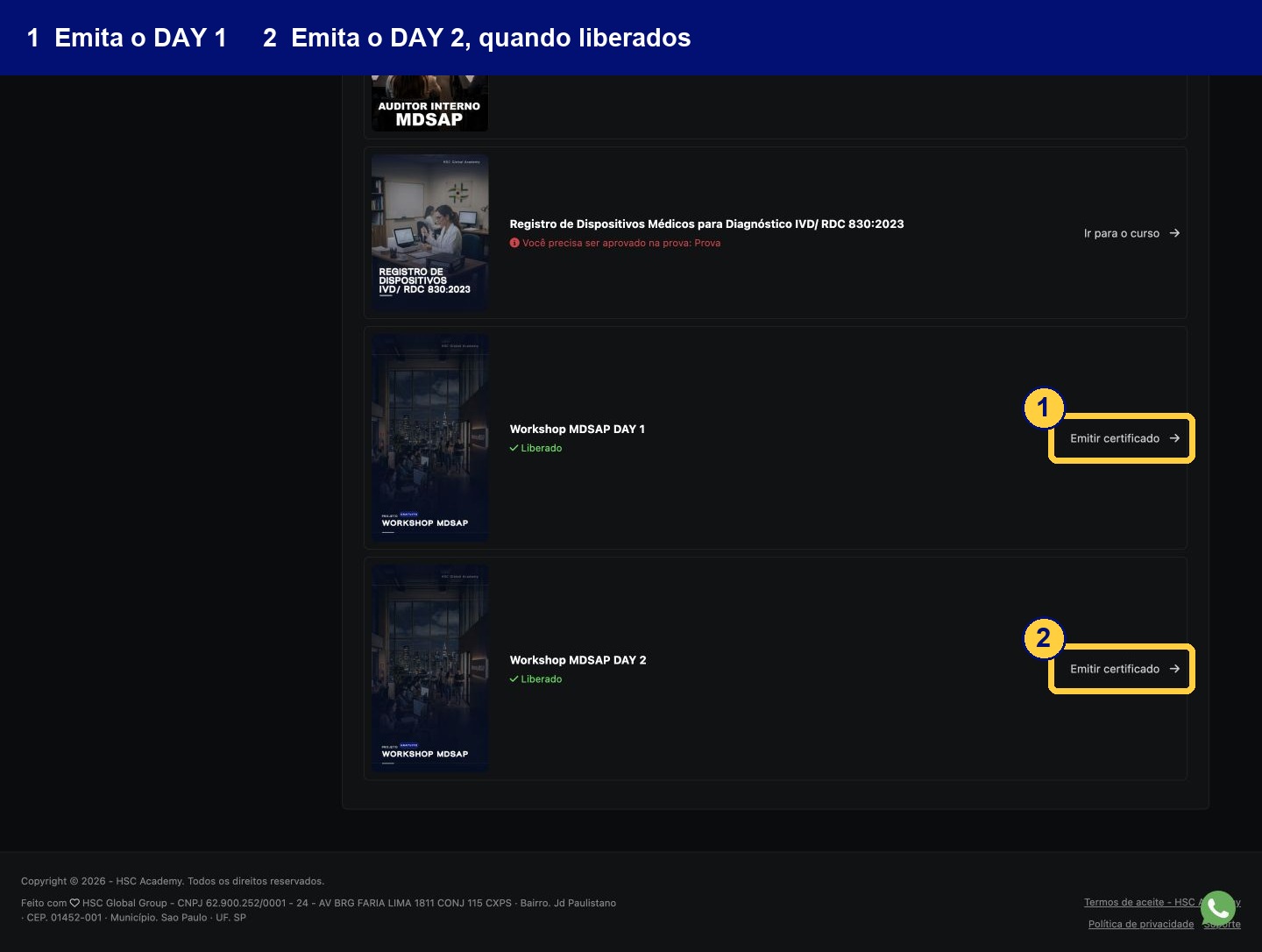
In the list, find Workshop MDSAP DAY 1 and Workshop MDSAP DAY 2. When the certificate status is Liberado (Available), select Emitir certificado (Issue certificate) for the corresponding day and follow the platform's instructions.
Check both items separately: each day has its own certificate issuing option.
Has your certificate not been made available yet?
Check the platform's message beside the workshop and follow the instructions for your account. If the content or certificate does not appear, open Suporte (Support) in the Academy.